Connect anything
Auto-discover tools from an OpenAPI or GraphQL spec, a cURL command or a Postman export — or re-expose an existing MCP server. REST, GraphQL and MCP-to-MCP in one gateway.
The self-hosted MCP gateway with a real admin UI. Auto-discover tools from OpenAPI, GraphQL, a cURL command or a Postman export — or aggregate other MCP servers. Per-tool guardrails, RBAC and circuit breaking in one binary. No Kubernetes.
Auto-discover tools from an OpenAPI or GraphQL spec, a cURL command or a Postman export — or re-expose an existing MCP server. REST, GraphQL and MCP-to-MCP in one gateway.

Not a pile of YAML. A full Vue 3 dashboard for servers, tool bundles, keys, usage, alerts, schedules and the audit log.

SSRF + DNS-rebinding protection with IP pinning, prompt-injection sanitizing, secret detection and fail-closed per-tool key restrictions — built in, not a plugin.

Rate limits, timeouts and allowed-key rules on any single tool, plus per-client circuit breakers. RBAC (admin / operator / auditor / viewer) plus team multi-tenancy.

Prometheus /metrics, OpenTelemetry tracing per call, usage-anomaly alerts, and a tamper-evident hash-chained audit log with SIEM streaming.

Bun single process with bun:sqlite storage. No external database, no Kubernetes. One Docker image, or `bun src/index.ts`.
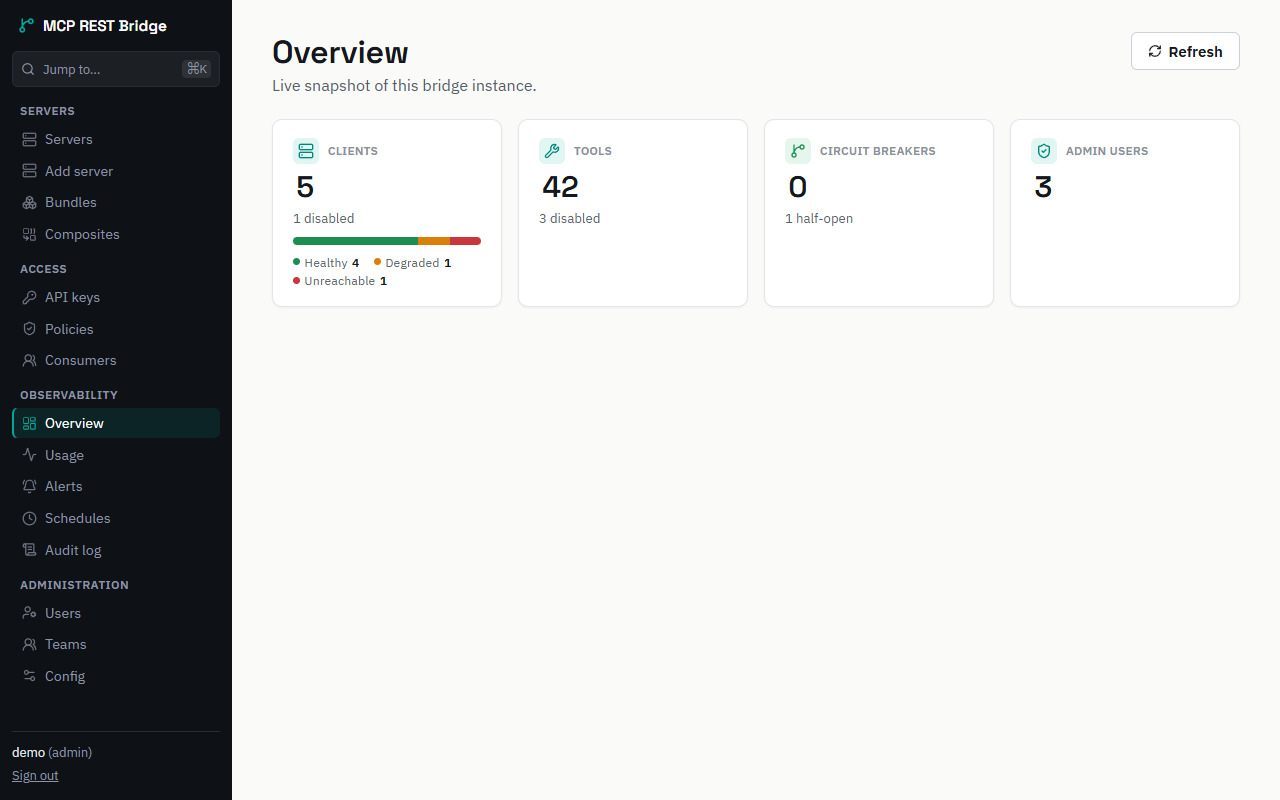
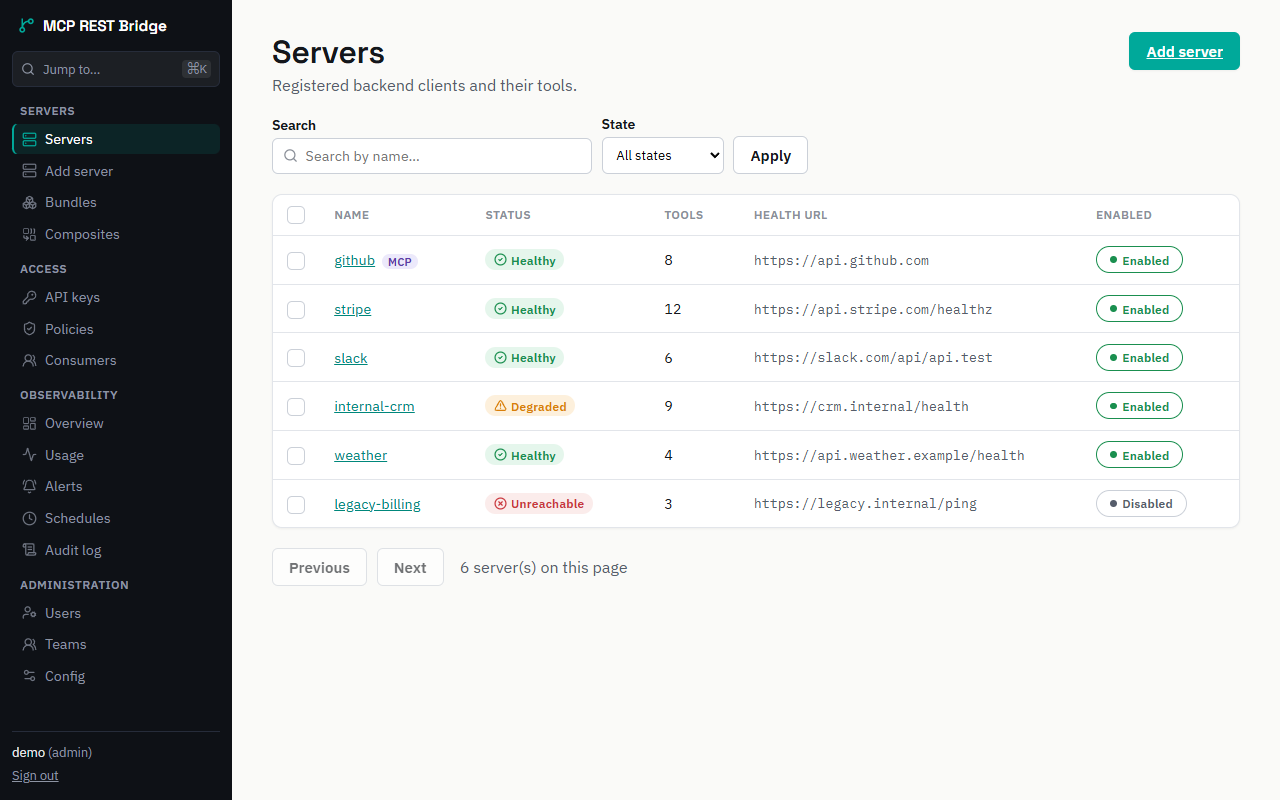
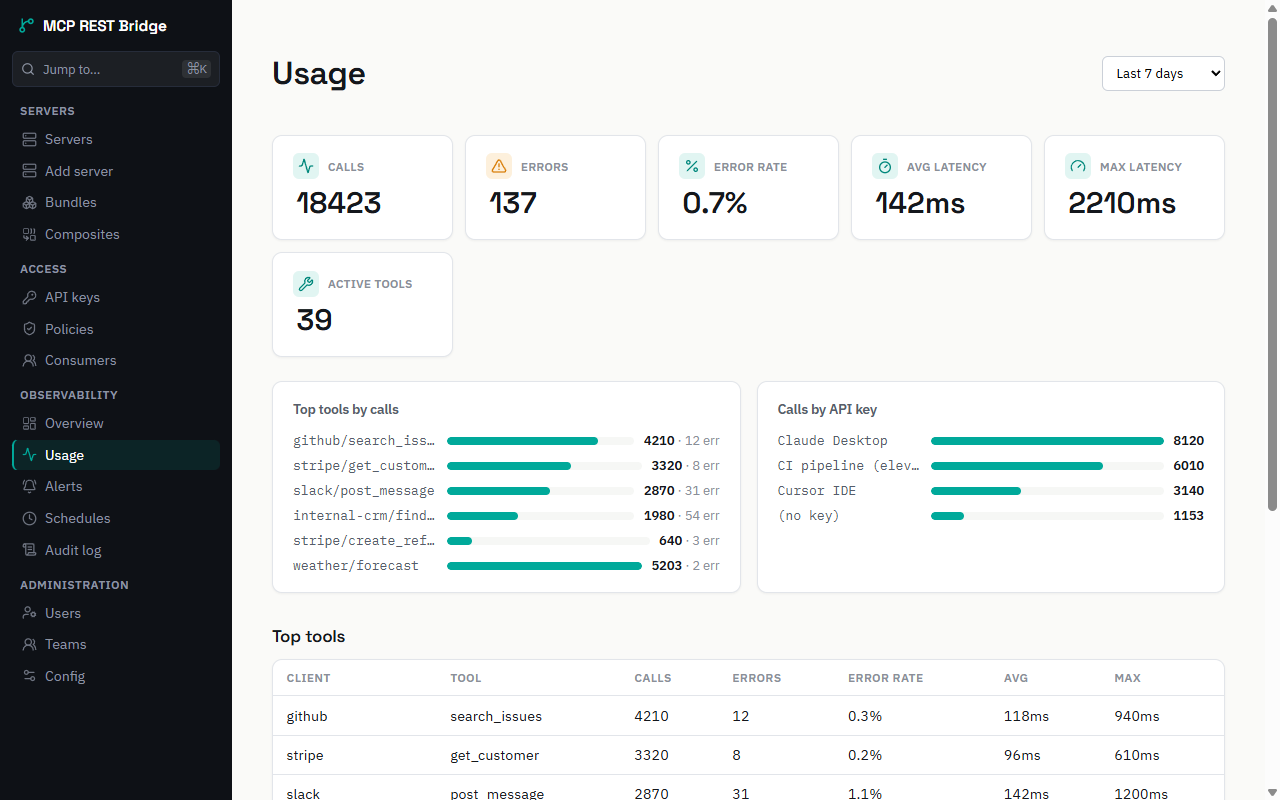
The whole bridge is managed from a built-in dashboard — register backends, curate what each client sees, and watch health, usage and audit trails live.
🎮 Try the live demo → — the real admin UI running on mock data, right in your browser. No install, no signup.
Six ways to turn a backend into governed MCP tools — all through the same guard pipeline.
openapi_urlAuto-discover one MCP tool per operation from the spec.
graphql_urlIntrospect the schema — one tool per query & mutation.
curl_inputPaste a working curl invocation and get one tool.
postman_collectionOne tool per request in a v2.1 collection export.
tools[]No spec? Hand-write exactly the tools you need.
kind: "mcp"Re-expose an existing MCP server's tools, governed.
export ADMIN_API_KEY=$(openssl rand -hex 24)

docker run -p 3000:3000 \
  -e NODE_ENV=development \
  -e SESSION_COOKIE_SECURE=false \
  -e BOOTSTRAP_ADMIN_USERNAME=admin \
  -e BOOTSTRAP_ADMIN_PASSWORD=change-me-min-12-chars \
  -e ADMIN_API_KEYS=$ADMIN_API_KEY \
  -v "$PWD/data:/app/data" \
  ghcr.io/carlxsmg/mcpbridge:1
The image is prebuilt, multi-arch and cosign-signed — nothing to compile. :1 is the floating major tag, which is what you want for a first look; pin an exact version for anything you keep running. Deployment → covers tag choice, verifying the signature, and building from source instead.
Open http://localhost:3000/admin, log in, and add your first server. $ADMIN_API_KEY is the Bearer token the curl/CLI examples throughout these docs use — keep it exported in the same shell. Then point any MCP client at that backend's shard — http://localhost:3000/mcp/<your-server> — or curate a bundle to serve several backends behind one endpoint. Full walkthrough in Getting started →
Serve backend tools two ways: per-client /mcp/:name for one backend, or a curated bundle /mcp-custom/:bundle to put several behind one endpoint. The /mcp root is the control plane — sys_* tools an agent uses to operate the gateway itself, not backend tools. (How bundles aggregate several backends →)